
Welcome! On this particular website you will find what I hope are helpful how-to tutorials and simplified solutions. Quick and easy fixes for common issues or problems that an average person might encounter on a regular and daily basis. Also provided are several personal reviews of products that I have had good a experience with, and enjoy using. Those are the only kind of products that I deem worthy of sharing with the rest of the world.
My goal here with lancelhoff is to offer help to others by documenting and sharing what I have learned through past experience. Hopefully you find the information provided throughout this site useful. If you notice room for improvement, please feel free to contact me with your constructive suggestions.
Simple Solutions, Tutorials and Reviews
Below are a few of my most recent simple solutions, informational tutorials, and reviews.
How to Automatically Login to Windows
 Automatically login to Windows; The following covers the process of turning on the auto login function in ...
How to Get JEEP Window Sticker by VIN
 Get a JEEP Window Sticker or Build Sheet by VIN Number: Have you lost your original Window sticker? Are ...
Get a Dodge Window Sticker PDF by VIN
 Get a Dodge Window Sticker PDF by VIN number: Lookup the factory Window Sticker for a Dodge. Perhaps you ...
How to Replace Trailer Bunk Carpet
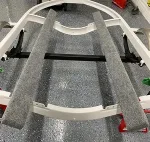 How to Replace Boat Trailer Bunk Carpet; If you've owned a boat for long enough, you will eventually ...
SeaDoo XP GPS Speedometer
 SeaDoo XP GPS Speedometer aftermarket replacement, swap, or upgrade. The stock top speed of a 1996 SeaDoo ...
Get a RAM Window Sticker by VIN
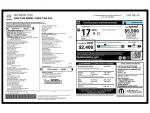 Lookup and get a RAM Window Sticker from VIN: There are several cases in which you might need to lookup ...
Disclaimer: All of the simplified tutorials written on this site have at some point worked for me. However, no warranty is being offered for this freely provided information. By following any of these posted instructions, you agree not to hold me accountable for any potential damage that might result. If you seek professional advice, please find and consult with an expert in the specified field.
