Welcome IP: 206.254.188.66

Windows Tips and Tricks Category

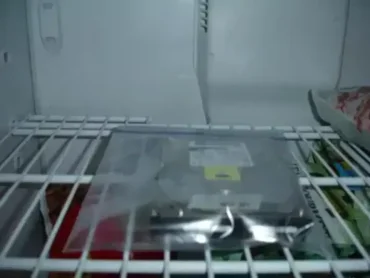
Freeze a clicking hard drive to recover data

Monday, July 7th, 2008

Freeze your hard drive to recover data: Recovering data from a clicking hard drive can be a touch and go task. In most cases, a clicking hard drive signifies that the drive is stuck in seek mode and is a sign that your drive is failing. In most cases, if the clicking hard drive contains the operating system you boot from, you will lose the ability to boot from this device (it will just sit there clicking away) and the drive will appear to be dead. In which case, many people assume the drive is shot and data cannot be retrieved.

Read the rest of this entry

How to totally uninstall Windows Messenger

Friday, June 27th, 2008

How to uninstall Windows Messenger: There are four different Messenger applications available from Microsoft. "Windows Messenger", "MSN Messenger", "Windows Live Messenger" and the "Messenger Service". In the following tutorial, I'll show you how to remove any one of the them from your computer. Those who have installed MSN Messenger or Windows Live Messenger might want to remove the old Windows Messenger so as to keep the two from conflicting, so we will address this one first.

Read the rest of this entry

Microsoft Messenger keeps logging me off

Friday, June 27th, 2008

If your having issues with Microsoft Messenger logging you off constantly, your not alone. I have personally encountered this issue on many occasions. Knowing that I have a solid wired internet connection with plenty of bandwidth and my firewall and router were not blocking the Microsoft Messenger service, I knew the problem had to be with Messenger itself. As it turns out, there are some new key features in the upgraded MSN Live Messenger that help to hold a consistent connection.

Read the rest of this entry

How to find the MAC address of a PC or device on the LAN

Tuesday, June 24th, 2008

How to find the MAC address of a PC or device on the LAN: Have you ever needed to find the MAC address of a computer or device connected to your network? Finding the MAC address of a PC or or device on your LAN is easy if you know at least the IP address of the PC or device that is connected. There are many cases in which a user might need to determine the MAC address of a given network communication device.

Read the rest of this entry

Microsoft Windows Updates fail to install

Sunday, June 22nd, 2008

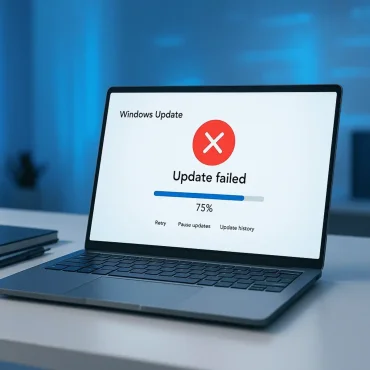
Microsoft Windows Update failure: Are you having problems getting your Microsoft Windows Updates downloaded, are the Updates repeatedly failing to install? Recently after having upgraded to Serice Pack 3 for Windows XP, we had experienced the same issue. It appeared that the updates would continually fail to install on this particular machine. We tried stopping the automatic updates service, deleted all of our temp files, log files etc, but nothing seemed to help. On any attempt to download updates, the process would halt and say it failed to install them. As it turns out, the fix was relatively simple. Here is what we did.

Read the rest of this entry

BitDefender Real-time protection is unavailable

Friday, June 20th, 2008

BitDefender Real-time protection is unavailable problem: BitDefender Total Security 2008 is one of the best antivirus solutions available. However, just like any antivirus software can have it's hiccups. Recently, I have encountered one such hiccup. One day upon logging in to my work PC, I had noticed that my BitDefender antivirus Real-time protection and Firewall was disabled and could not be turned back on. The check box was grayed out and the text next to it displayed "Real-time protection is unavailable". To make matters worse, I could not perform an update nor manually scan any files.

Read the rest of this entry

Make Windows see any USB flash drive as local disk

Thursday, June 19th, 2008

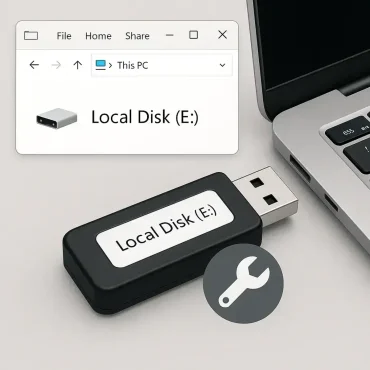
How to make Windows XP see any USB flash drive as a local disk rather than a removable disk: By default a USB flash drive is detected by Windows XP as a removable disk. This poses a couple of limitations. You cannot setup or create multiple partitions on a removable disk from Windows XP. Moreover, Windows is unable to display multiple partitions on the USB flash drive if it is detected as a removable disk. However, we can address this problem by creating our own custom driver for the USB device forcing Windows XP to detect the USB flash drive as a local disk. Luckily the base driver is already available for compact flash cards and can be easily modified for our USB flash drive usage.

Read the rest of this entry

WRT600N wireless dropouts on 5ghz band

Tuesday, May 27th, 2008

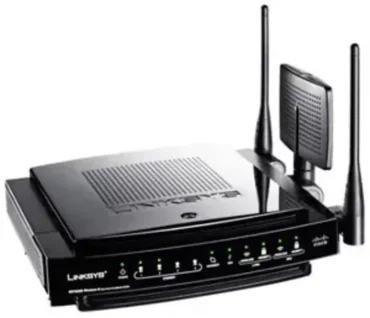
Getting WRT600N wireless dropouts on 5ghz band? We recently upgraded from a WRT54GL router to a Linksys WRT600N Linksys Ultra RangePlus Dual-Band Wireless-N Gigabit Router to take advantage of the dual band 5ghz and 2.4ghz wireless N frequencies along with the gigabit wired network connection. Initially, we were disappointed to find that while working via the 5ghz band on our wireless workstations, we would get randomly dropped connections. This would typically occur when doing large downloads (receiving large packets). All of our workstations use Intel 4965AGN wireless cards and we never experienced a hiccup on 2.4ghz frequency with the old WRT54GL router.

Read the rest of this entry

Multi partition a USB flash drive in Windows

Thursday, May 1st, 2008

Ever wondered how to set up more than one partition on a USB flash drive using Windows XP? In the following tutorial, I'll show you how to do just that. But first, let me explain how it works. By default, a USB flashdrive is detected by Windows XP/Vista as removable media and thus will not display more than one partition. In addition, Windows will not allow you to multi partition removable media. However, if we can make Windows see the USB flashdrive as a fixed drive, Windows will then allow us to create multiple USB flashdrive partitions. Windows will also detect and display those multiple USB flashdrive partitions.

Read the rest of this entry

FTP Error Copying File or Folder

Thursday, April 17th, 2008

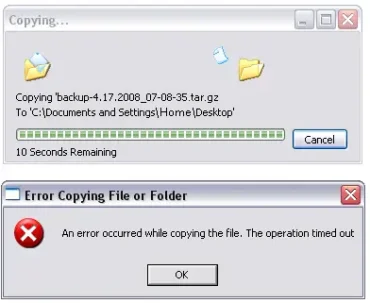
If you like to use Windows Explorer to perform your FTP file transfers and are having problems with the file transfer timing out during the last second or last few second of the download, just know that your not alone. The File Transfer ability that is built into Windows is primitive and many settings are not adjustable as they would be using more advanced FTP client software. This is especially true when it comes to setting a passive port. In many cases a person may find that larger FTP downloads time out or never finish. In the following, I'll show you a resolution that works for me.

Read the rest of this entry

How to Remove Windows Desktop Search

Sunday, April 13th, 2008

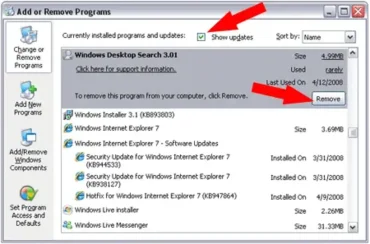
Windows Desktop Search is a search tool that can be optionally installed on a Windows based system. In most cases it is installed along with a Office 2007 or Outlook 2007 package. Shortly after installation and after trying out it's features, you may be one of the many people who prefer to remove the Windows Desktop Search. In the following simple solution, I'll cover how to remove this WDS desktop search tool.

Read the rest of this entry

How to Download Embedded SWF files using Firefox

Thursday, March 20th, 2008

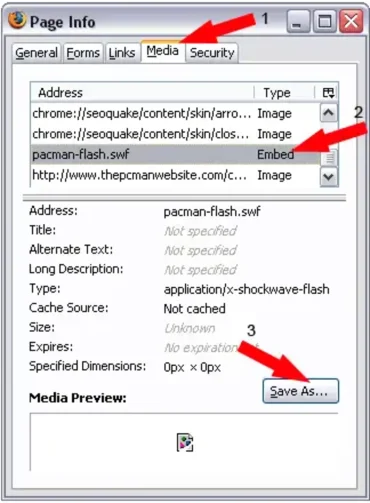
Downloading SFW Files - In the following tutorial I cover the process of downloading SWF (flash) files directly to your Computer using the built in Page info/Media functionality in Firefox. This enables a user to download any flash swf file that might be embedded in a webpage without using any additional software.

Read the rest of this entry

How to Emulate Windows Mobile 6

Thursday, March 20th, 2008

In the following tutorial, I cover the process of Setting up Windows Mobile 6 for Mobile Browser Emulation using the Microsoft Device Emulator. This enables a user to experience Windows Mobile 6 on a PC via Emulation without even owning a Windows Mobile 6 product. It can be a great way to test drive Windows Mobile 6 before purchasing a product with it installed. In our case, it allowed us to Emulate Windows Mobile Browsing so that we could optimize our sites for the Mobile viewing audience. Installation and Emulation is simple and fairly straight forward.

Read the rest of this entry

Windows XP Remote Desktop - Port Forwarding

Monday, March 17th, 2008

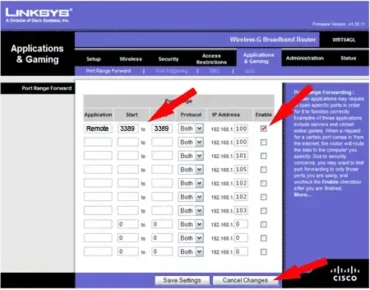
If your trying to use the "Remote Desktop" Feature that is built into Windows XP and are Hosting your Remote Desktop PC from behind a router, you'll most likely need to open up a port in your router for forwarding. Otherwise you wont be able to remotely access your hosted computer from another PC via the internet. The following tutorial assumes that you already know how to navigate and setup port forwarding in your router and that you simply need to find out which port to forward for Remote Access. Navigating particular router software is outside of the scope of this article.

Read the rest of this entry

How to remove the W32.Spybot.Worm

Monday, March 17th, 2008

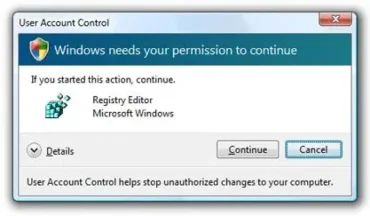
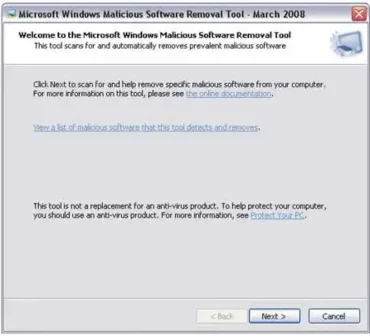
W32.Spybot.Worm Removal. In the following tutorial, I show you How to remove a W32.Spybot Worm Some Antivirus programs such as the famous Norton Antivirus Solution discover the virus W32.Spybot.Worm but may be unable to clean, repair, delete or even quarantine the file. And following online Antivirus instructions to delete the reg file through the registry in Safe Mode may not work because when you attempt to run regedit it will open and then immediately close. The infected file is typically located at Windows\System32\winsock.exe

Read the rest of this entry

How To Block Ads in Internet Explorer

Friday, March 14th, 2008

How To Block Ads in Internet Explorer. In the Following tutorial, I cover the process of blocking Ads from displaying in Internet Explorer. Just like with AdBlock Plus in Firefox there is a similar Ad Blocker for Internet Explorer (Free Ad Blocker for IE). It comes packaged with an addon for Internet Explorer called IE7Pro and is packed with many additional plugins and features. Some key features of IE7Pro include tabbed browsing manager, spell checker, web accelerator, user agent switcher, webpage capturer, AD Blocker, Flash Block and many more user plugins.

Read the rest of this entry

How to install Windows XP on a HP DV6500 series Laptop

Thursday, March 13th, 2008

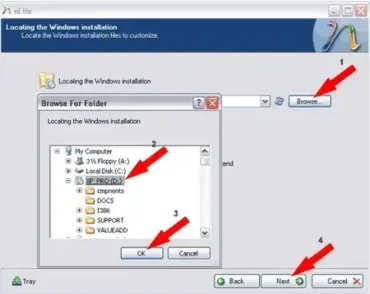
Installing Windows XP on a HP DV6500 series Laptop. This tutorial covers the process of installing Windows XP on an HP dv6500 series Laptop. Currently, most HP Laptops are being shipped with Windows Vista, and there is minimal driver support on the HP website site for those who want to downgrade to Windows XP. Hence the necessity for this tutorial. We will be using nLite to create a remastered Windows XP installation disk with integrated SATA drivers, so having a working CD Recorder is essential. I would also recommend having a USB flash drive handy to hold the additional drivers that will be installed after XP installation.

Read the rest of this entry

How to Slipstream Service Pack 3 into Windows XP

Wednesday, March 12th, 2008

Slipstreaming Service Pack 3 into a Windows XP installation CD. As you probably already know, Microsoft has recently released the Service Pack 3 final release for Windows XP to the public. Windows® XP Service Pack 3 (SP3) includes all of the previous updates, hotfixes and security updates to date, rolled into one simple package. By Slipstreaming Service Pack 3 into your Windows installation disk, you will have all hotfixes and updates already efficiently integrated. This means that you will have virtually no updates left to do via Windows Update after performing a fresh install of Windows XP.

Read the rest of this entry

How to install Windows XP Service Pack 3

Wednesday, March 12th, 2008

Microsoft has recently released Service Pack 3 FINAL for Windows XP to the public. Windows® XP Service Pack 3 (SP3) includes all of the previous updates, hotfixes and security updates to date, rolled into one simple package. It should been noted that Windows XP SP3 does not include Windows Internet Explorer 7. However, SP3 does include updates for both Internet Explorer 6 and Internet Explorer 7, and it will update whichever version is detected on your computer.

Read the rest of this entry

How to hide a drive letter in Windows XP

Wednesday, March 12th, 2008

In the following tutorial, I explain how to hide a drive or drive letter from being displayed in My Computer. This is useful if you don't want just any average user to be able to easily detect, access and navigate a hard disk that is attached to your system. Note that the drive can still be accessed from explorer by typing in the drive letter. Because we are going to be editing the system registry to hide the drive letter you should proceed with caution, as it is possible to do irreversible damage to your system if you make a mistake.

Read the rest of this entry

Component MSCOMCTL.OCX or one of its dependencies not correctly registered

Tuesday, March 11th, 2008

MSCOMCTL.OCX is a Microsoft Library Windows Common Controls file. Occasionally when a Windows user is installing or uninstalling a bunch of software, certain Microsoft Libraries can become unregistered . One such file that can become corrupt or lost is the MSCOMCTL.OCX file. Then, when the user runs a program or application that requires or is dependent on this file, they may be presented with the following error:

Read the rest of this entry

How to install Internet Explorer 8 for Windows XP SP2

Tuesday, March 11th, 2008

Windows Internet Explorer 8 is the next generation browser from Microsoft. The IE8 Web Browser is commonly used by those running Microsoft's Windows Vista Operating Systems. However, Windows XP users can enjoy the benefits of using Internet Explorer Beta 1 as well. The version of Windows Internet Explorer 8 outlined below will run on a Windows XP or XP Pro system with Service Pack 2 installed.

Some featured highlights of this new version include the ability to prevent phishing and deceptive websites from appearing without user permission. Top Level domain highlighting, so the user can confirm the domain they are visiting. Activities and Webslice features allow the user a much more interactive experience while enabling Website Publishers to increase their reach. The user can also select to navigate using the emulate IE7 feature.

Read the rest of this entry

How to Fix STOP 0×0000007E error in aec.sys

Tuesday, March 11th, 2008

The 0×7E stop error often occurs because of a timing issue in Windows XP and Windows XP Pro. Tjis error can occur during initial system startup or even once up and running after your Computer has been sitting idle for a while unattended. The result is typically a blue screen displaying a STOP 0×0000007E error in aec.sys. Complete error message might display something like the following: STOP 0×0000007e (0xC0000005, 0×00000000, 0xF8954080, 0xF8954384) aec.sys.

Read the rest of this entry

How to install Windows XP on HP DV9500 series Laptop

Tuesday, March 11th, 2008

In the following tutorial, I outline the process of installing Windows XP on an HP dv9500 series Laptop. Most Hewlett Packard (HP) Laptops are currently being shipped with Windows Vista, and there is minimal driver support on the HP website site for those who wish to downgrade to Windows XP. Hence the necessity for this tutorial. We will be using nLite to create a remastered Windows XP installation disk with integrated SATA drivers, so having a working CD Recorder is essential. I would also recommend having a USB flash drive handy to hold additional drivers that will be used after installation. I've personally tested this process by downgrading an HP dv9548us notebook to Windows XP and had great success. Should work on downgrades to Windows XP on other dv9500 and dv2500 series HP laptops as well.

Read the rest of this entry

How to Fix a STOP: 0×0000007B: Error

Monday, March 10th, 2008

In Windows XP, The STOP: 0×0000007B: error often occurs if you move a hard drive that contains Windows XP to another computer or if you have just installed a new motherboard or drive controller. This error occurs in these cases because your registry does not contain driver entries for the current motherboards drive controller. So in effect, the device driver that Windows XP is loading from the registry will not work with the new drive controller.

Read the rest of this entry

Missing Message Header of Outlook Express Messages

Monday, March 3rd, 2008

The following tutorial will explain how to correct the missing message header when printing Outlook Express 6 messages. When the user tries to print emails from outlook express, the email might print fine, but with the To: From: message header printed as (To:xxx@xxx.com, From:xxx@xxx.com, etc). In other cases, emails might not print the header at all. In both cases, the message content is still printed just fine. Those who have installed internet Explorer 7 on a Windows XP system might experience this problem.

Read the rest of this entry

How to remove SpyDawn

Monday, March 3rd, 2008

SpyDawn is rogue antispyware. It is typically installed on a computer without the users permission via a Trojan or other malware. SpyDawn is usually inadvertently installed on a PC when the user thinks they are installing audio or video codec. Once installed, SpyDawn claims to be a Spyware Cleaner, but in reality provides the user with fake results of Spyware found on their computer. These results are used to scare the user into purchasing the SpyDawn Software. In the following tutorial, I'll show you how to remove SpyDawn for good.

Read the rest of this entry

How to automatically logon to Windows XP

Friday, February 29th, 2008

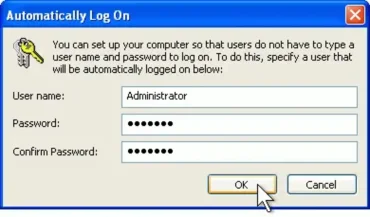
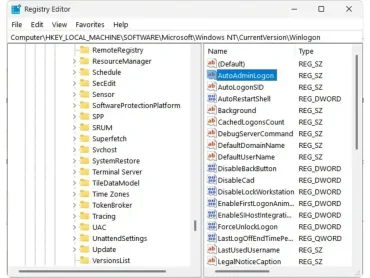
The following tutorial covers the process of turning on the Auto Logon function in Windows XP, eliminating the need to sign in during system bootup. Automatic logon to Windows XP is accomplished by storing the login information into the system registry. Sever damage can result from improperly modifying registry. Please only proceed with this tutorial if you understand the risks involved and are comfortable with Registry modification. Autologon to Windows XP becomes more convenient. However, keep in mind that using this feature can pose a security risk by allowing any user to start your PC.

Read the rest of this entry

Internet Explorer has encountered a problem and needs to close

Friday, February 29th, 2008

If your getting the error message: "Internet Explorer has encountered a problem and needs to close" while visiting various Websites or Webpages your not alone. There is a good chance that something cached in your temporary internet files may be causing the problem. A deeper concern is that it's possible your Windows computer may be infected with a Virus or Spyware of some sort. Here are some steps I would take to circumvent or attempt to repair this problem.

Read the rest of this entry

My screen goes blank after Windows logo displays

Friday, February 29th, 2008

Question: Help! My Windows XP system displays the Windows boot logo and then the screen goes black and nothing else displays. I've tried another monitor thinking that this might be the problem and still have the same results. I have not performed any hardware or software upgrades but did perform a System Restore due to other issues. My PC boots fine into safe mode. How can I fix this problem?

Read the rest of this entry

Lost Windows XP Administrator Password

Friday, February 29th, 2008

The other day a buddy of mine had lost access to his Windows XP Administrator Account because he forgot his password. He turned to me for help and as usual I was willing to lend a hand. The following tutorial covers the process of resetting your administrator password on Windows XP or NT Operating Systems. Windows stores its user information, including encrypted versions of the passwords, in a file called sam. This file is commonly found in \winnt\system32\config. This file is also a part of the registry, in a binary format and not easily accessible. We will be using a utility called Offline NT Password and Registry Editor to preform the recovery.

Read the rest of this entry

How to Remove XP Antivirus Protection

Friday, February 22nd, 2008

XP Antivirus Protection AKA: XPAntivirus is fake antivirus software program. This program is typically known to infect a computer just after performing an install of specific video codec. This corrupted video codec is usually distributed with a Trojan, Malware and Virus. It is crucial to remove all the components of XP Antivirus and all malware and trojans such as zlob.trojan, trojan.vundo and trojan.downloader that may have been installed along with it. The following tutorial explains how to remove this XP Antivirus Protection.

Read the rest of this entry

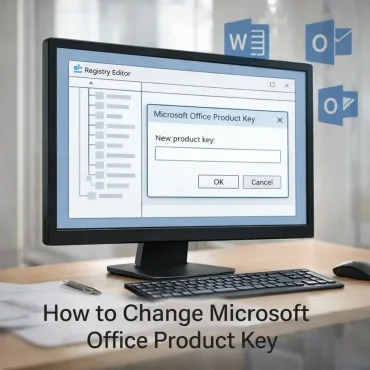
How To Change Office 2007 Product Key

Sunday, January 27th, 2008

Are you looking to change a Microsoft Office 2007 product license key, serial number or CD key? One common method used to change the product key for 2007 Microsoft Office programs or suites is to uninstall or remove Microsoft Office and then reinstall the program. Another approach is to edit your registry, reset and change the product serial key without uninstalling and reinstalling 2007 Office system suites.

Read the rest of this entry

Permanently Remove Obtrusive Software

Friday, January 25th, 2008

With rates of broadband Internet connection going down by the hour, today we have computers that are connected to the Internet 24 x 7. Even though this breakthrough may have made our lives easier, it has also given rise to several problems. Being connected to the Internet all the time, opens up your computer to several threats, such as malware infections. For example, malicious spyware programs, such as the Mirar toolbar may install on your computer without your consent and start tracking your computer activity and stealing your personal and confidential data. These programs may also install several other malacious software on your computer that may not only feed on your system’s resources and slow it down, but may also generate several computer errors.

Read the rest of this entry

DLL Error Basics

Thursday, January 17th, 2008

What are DLL files?

Dynamic Link Library (DLL) files are dynamic code libraries that are used by Windows operating systems, device drivers, and various Windows-based applications to perform specific tasks on the computer. The popularity of DLL files is governed by the fact that it reduces the need to include the same code again and again in different applications. With DLLs, you just need to write the code once as a DLL, and then program your application to call on this DLL file whenever it needs to perform the specific task.

Read the rest of this entry

Windows XP restarts when attempting to shut down

Friday, January 11th, 2008

Windows Computer restarts when attempting to shut down. When you shut down your Windows XP computer, does your computer restart instead of shutting down? Or does a Stop error may appear before the computer restarts? These problems are most likely caused by incompatible Roxio Easy CD Creator 5.0 or Direct CD 5.0 software or software drivers installed on your computer. In the following tutorial I'll cover the process of fixing the Windows XP reboot problem.

Read the rest of this entry

How to fix a Stop 0×0000000A error in Windows XP

Thursday, January 10th, 2008

A Stop 0×0000000A error in Windows XP is an annoying error that can occur during or after the installation of Windows XP and XP professional. In some cases it can occur after installing new hardware, drivers or in the process of upgrading to Windows XP. These stop messages, are text code error messages also known as blue screens of death (BSoD). They almost always contain information that can help you diagnose and resolve the problem.

Read the rest of this entry

How to password protect a shared folder

Tuesday, November 13th, 2007

If your looking to password protect a shared folder on your network, you've probably noticed that Windows XP doesn't have any built in features allowing you to lock access to a folder via a password like previous Windows releases did. This means that anyone using the same workgroup or domain can access the files within your shared folder.

Read the rest of this entry

Error cannot delete file: cannot read from source file or disk

Wednesday, October 10th, 2007

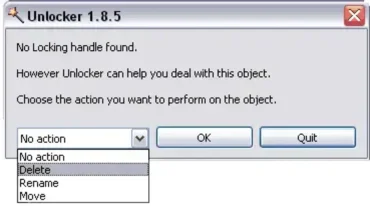
Help, I cant delete a file: If you've ever encountered one of the following Windows XP Error message when trying to delete a file.: Cannot delete file: Cannot read from source file. I can assure you, your not alone. This is a fairly common occurence and NO it doesn't mean you have a virus so you need not worry about that. There is a FREE and very easy to use application available called unlocker that will help you remove or delete the file.

Read the rest of this entry

How to remove a Net or MSN passport account from Windows

Wednesday, September 19th, 2007

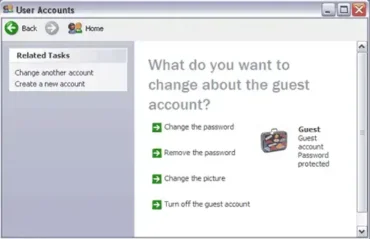
How do I remove a .Net account from Windows XP and Windows MSN Messenger? The answer is relatively simple. You can edit or delete your .Net or MSN passport via the user accounts administration panel applet located in your computers control panel. The following How To outlines how to delete an MSN passport from your computer.

Read the rest of this entry

How to clear the Browser Cache

Monday, August 20th, 2007

In order to display any changes on a Web page, a user might click the Refresh button on the browser toolbar or press the F5 key on the keyboard. While this sometimes works, refreshing a page simply reloads the page without clearing the browser's cache. Here are some additional techniques used by specific browsers to help clear the browser's cache so you see the changes when a page is reloaded.

Read the rest of this entry

How to create trademark and copyright symbols

Wednesday, June 20th, 2007

How to create trademark and copyright symbols: The following short tutorial explains how to create those neat circled C copyright, circled R registered trademark and TM trademark symbols. These symbols are often considered more visually appealing and generally produce less clutter than standard text.

Read the rest of this entry

Windows Error Codes and what they mean

Wednesday, May 30th, 2007

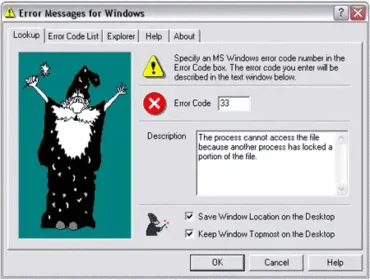
What do those Windows Error Codes Mean?: Inevitably, every Windows user is bound to encounter at least a few error codes during their experience with the Windows Operating environment. Wouldn't it be helpful to have a little more information as to why these errors occurred and what they mean? Luckily there is a free program available created by Gregory Braun that can do just that.

Read the rest of this entry

How to setup multiple users in Outlook Express

Tuesday, May 29th, 2007

Share Outlook Express with multiple users: The following tutorial explains how to share Outlook Express with other users in your household while password protecting your e-mail via the use of identities. If the people in your household share the same computer and you don't want to use a separate Windows login for every user, this tutorial is for you.

Read the rest of this entry

How to Remove Ads from Windows Live Messenger

Friday, May 25th, 2007

How to Remove Advertisements from Windows Live Messenger: Removing Windows Live Messenger Ads: Windows Live Messenger is considered the latest replacement or upgrade for MSN Messenger. It contains some great new features and improvements over the previous MSN Messenger that shipped with Windows XP and is viewed by many as an essential tool.

Read the rest of this entry

Disabling Windows XP Error Reporting

Tuesday, May 22nd, 2007

By default, when a Windows XP computer encounters an error, the user is prompted with a pop up asking them if they would like to send the pertaining error information to Microsoft. The following tutorial explains how to eliminate this pop up prompt when your computer encounters an error.

Read the rest of this entry

Run commands for Windows XP

Tuesday, May 22nd, 2007

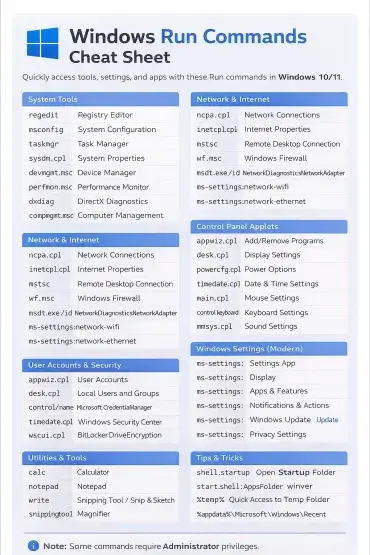
The following is a run command shortcut list for Windows XP. Run commands allow a user to quickly access a variety or Windows XP tools and applications directly via the Start -> Run interface. For quick reference, the application name is on the left and the command you would type in the run window is shown to the right in bold.

Read the rest of this entry

How to Control Windows XP Cookies

Tuesday, May 22nd, 2007

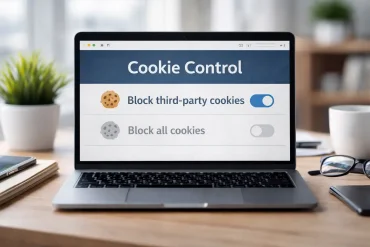
Want to take full control of your Windows XP Cookies? The Documents and Settings folder found within Windows XP holds user specific information including all Cookies stored from an internet browsing session. You can take control and tell your computer exactly how to processes and handles these Cookies via the settings found in the Internet Explorer-Internet Options menu.

Read the rest of this entry

Installing and Partitioning a New Hard Drive

Sunday, May 20th, 2007

Ok, so you have purchased a new hard drive and would like to add it to your Windows XP computer. New drives do not ship pre-formatted, so you'll need to create a new partition(s) and format them. Using the graphical disk management tool in Windows XP, it's simple to create a new partition.

Read the rest of this entry

Disabling Windows XP System Restore feature

Saturday, May 19th, 2007

There are times when one might want to disable Windows XP System Restore. Maybe you would like to free up some drive space and system resources? Maybe your system contains a virus that cannot be removed because it has migrated into system restore? In any event disabling system restore is an easy task.

Read the rest of this entry

Adjusting Windows XP Prefetcher settings

Friday, May 18th, 2007

The Windows XP Prefetcher reduces the amount of time it takes Windows to boot and can speed up the launch of applications. It does this by monitoring which programs initialize when the Operating System is booted, then in the future, fetches them quickly via trace files. Although prefetcher is enabled by default, we can easily improve on its performance by adjusting or tweaking it's value to make Windows boot faster.

Read the rest of this entry

Adjusting Windows XP Menu Show Delay

Thursday, May 17th, 2007

By default, Windows XP places a delay on menus before they are displayed. Some users feel this menu delay is a bit long and may prefer to reduce or eliminate the delay all together. The good news is that this is easily accomplished via the adjustment of a simple registry setting.

Read the rest of this entry

Reducing the time it takes for Windows to shutdown

Thursday, May 17th, 2007

In some cases, it might seem like it takes forever for Windows to shutdown. By altering a simple registry setting, you may be able to dramatically decrease the amount of time it takes for Windows XP to shutdown. This tutorial shows you how to adjust your shutdown speed by reducing the time Windows allows before it proceeds to kill running applications.

Read the rest of this entry

Slipstream Windows XP with service pack 2

Wednesday, May 16th, 2007

This article covers the process of Slipstreaming service pack 2 into Windows XP and creating a new Slipstreamed Boot CD to be used for later installs. Slipstreaming eliminates the need to install service pack 2 after Windows installation because the updates are installed from the CD during installation.

Read the rest of this entry

Remove the Recycle Bin Icon from your Desktop

Friday, May 4th, 2007

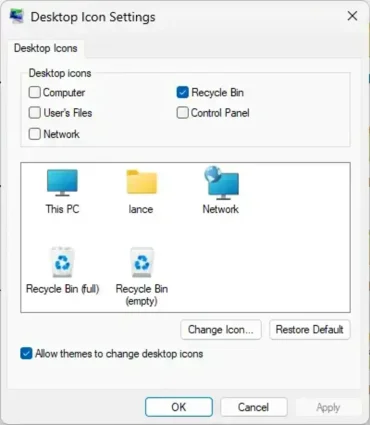
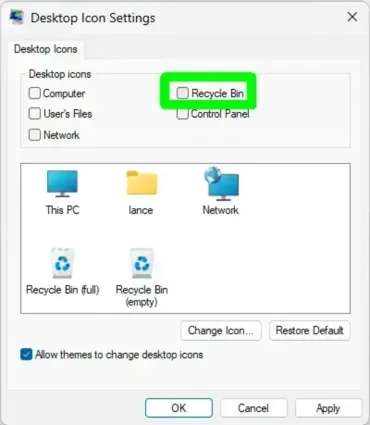
In the following tutorial, I cover how to remove the Recycle Bin Icon from your Windows XP Desktop. One reason you may want to get rid of the Recycle Bin Icon that is sitting on your desktop is that you have bypassed the recycle bin and automatically delete files from your computer. Or maybe you just don't want to have any icons on your desktop. Recycle Bin removal requires that you modify a registry setting. To simplify this process, I have provided a registry file.

Read the rest of this entry

Permanently delete files from your computer

Friday, May 4th, 2007

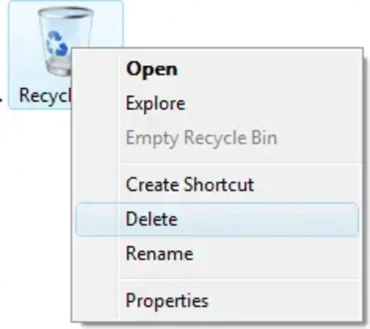
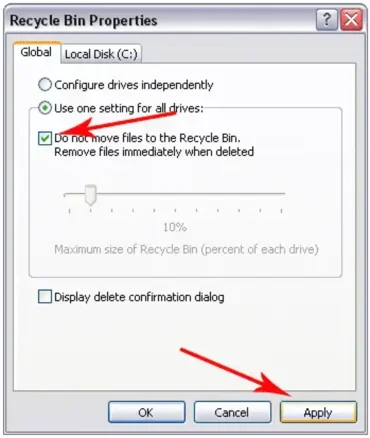
Personally I do not like to use the Recycle Bin feature that is built into Windows XP. I would rather have deleted files automatically removed from my PC when I select the option to delete them. Knowing that I am probably not the only one who feels this way, I have devised the following tutorial. This simple tutorial explains how a user can permanently remove or delete files on their Windows XP computer without moving them to the Recycle Bin.
Read the rest of this entry

Automating Windows XP System Tasks

Wednesday, April 11th, 2007

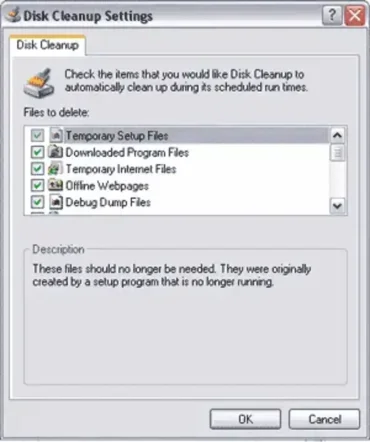
The Scheduled Task Wizard is a helpful feature built into Windows XP that allows a user to schedule programs and applications to be run automatically. Think of it as a Windows version of an alarm clock for your programs. This feature is particularly useful for launching routine maintenance tasks such as Disk Cleanup and Defrag. The idea is to schedule these tasks to run while the computer is not in use allowing your computer to take care of and maintain itself while your off doing other things.

Read the rest of this entry

How to Keep your Windows XP PC optimized

Tuesday, April 10th, 2007

After installing many programs or applications and or if you use your computer quite frequently your hard drive can become cluttered and unorganized. Over time and with continued use, your Windows XP computer might become sluggish and applications may not be as snappy or start as quickly as they once did. This is a fairly common problem that Windows XP users encounter. It is mainly caused by information being saved to the hard drive in an unorganized manner. This is referred to as disk fragmentation.
Read the rest of this entry

Disabling Windows XP CD DVD AutoPlay feature

Tuesday, April 10th, 2007

Windows Media Player always opens when I insert a CD. By default, Windows XP is configured to automatically detect what a user wants to do with a CD or DVD once it is inserted. This feature is called AutoPlay. For example, Windows might try to launch it's Media Player once a CD is inserted into the CD drive. Some users might find the AutoPlay feature annoying and want to change or disable it. The following tutorial explains how to edit or disable this option.
Read the rest of this entry

Tips to help keep Windows XP running smoothly

Saturday, April 7th, 2007

Tips to help Keep Windows running smoothly. Windows was designed to be user friendly and this convenience directly attributes to it's success. The drawback is that the more convenient something is, the more potential there might be for conflict. I like to think of it as a balancing act much like that of Newtons third law that states every action must have an equal and opposite reaction. Or the non scientific approach "You can't have your cake and eat it too".

Read the rest of this entry

How to keep Windows XP up to date

Saturday, April 7th, 2007

Windows XP can be a great Operating environment. It is easy to navigate, use, and understand. However, Windows can quickly turn into a nightmare if not properly maintained and cared for. The use of good Antivirus software is crucial to keeping Windows up and running smoothly. But just as important and probably the most overlooked, is the process of keeping Windows up to date by taking advantage of Windows updates.

Read the rest of this entry

Backup your Internet Explorer Favorite Links

Thursday, April 5th, 2007

Whether your migrating to a new computer or reformatting your current computer, there are many things you might want to bring with you from the current Windows Operating environment. One of those simple necessities I can't live without are my Internet Explorer favorite website links. I feel it's as important to backup my favorites as email messages and personal contacts. The following tutorial covers how to backup and restore your personal Internet Explorer favorites list.

Read the rest of this entry

How to backup Outlook Express E Mail Messages

Thursday, April 5th, 2007

There are times when a Windows user might want to back up important Outlook Express E-Mail Messages. I always create a message backup just before reformatting a computer or when moving essential information from one computer to another. This tutorial assumes the user is working with Microsoft Outlook Express 6.

Read the rest of this entry

RTHDCPL.EXE - Illegal System DLL Relocation Error

Wednesday, April 4th, 2007

If you've received this error and your system is using the Realtek HD Audio Control Panel, you might be scratching your head just as I was. After a bit of research, I found out that this error was most likely caused after installing Microsoft's security update 925902 (MS07-017) and security update 928843 (MS07-008).

The problem is that the Hhctrl.ocx file and the User32.dll file that is included in each of these security updates have conflicting base addresses. The resulting error occurs when the program loads the Hhctrl.ocx file before it loads the User32.dll file.

Read the rest of this entry

Moving your Address Book to another computer

Wednesday, April 4th, 2007

The following tutorial explains how to backup and restore the contacts from your Outlook Express Address Book. Creating a backup allows a user to save their personal contacts from Outlook Express and then import or restore those contacts later. This process is typically used by users that want to import contacts to another computer or would like to create a backup of those contacts in case of hardware failure or a virus.

Read the rest of this entry

Removing those annoying Balloon Tips

Tuesday, April 3rd, 2007

Balloon tips are those little information pop ups you get when hovering the pointer over objects within Windows XP. These tips were originally designed to give the user additional information on the item in question. However as I am sure most of you would agree, they can very quickly become annoying. So, let me explain how to remove them.

Read the rest of this entry

Removing Items from the notification area

Tuesday, April 3rd, 2007

The notification area is used by Windows XP to let the user know about applications that are launched at startup or are running while Windows is in use. However, it's a good thing that not all applications are written to automatically create an icon in the notification area. If every application running was listed, our taskbar would be full and cluttered.

Read the rest of this entry

Adjust Windows XP Power Options

Tuesday, April 3rd, 2007

The adjustable power options within Windows XP are designed to help conserve energy. However, a user might want to change the default Windows XP power management settings. In the following, I will attempt to answer a few common problems related to the setting of these options.

Read the rest of this entry

Finding the MAC address of your network card

Monday, April 2nd, 2007

How to find the MAC address of a computers network adapter: MAC addresses (Medium Access Control)
are used by a computer as the source and destination addresses for the transfer of data packets on a network. You've probably arrived at this page because your interested in finding or locating the MAC address of an ethernet adapter or NIC (Network Interface Card) within your computer. In the following tutorial, I cover how to reveal the MAC address of a network card on your Windows PC. The process of locating your computers MAC address is simple but first let's explain what a MAC address is.

Read the rest of this entry