Welcome IP: 66.56.221.235

Network Hosting Category

How to find the MAC address of a PC or device on the LAN

Tuesday, June 24th, 2008

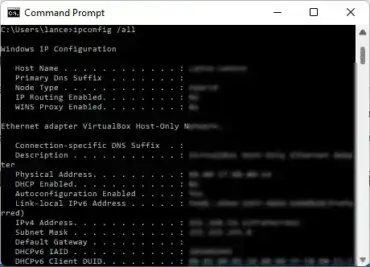
How to find the MAC address of a PC or device on the LAN: Have you ever needed to find the MAC address of a computer or device connected to your network? Finding the MAC address of a PC or or device on your LAN is easy if you know at least the IP address of the PC or device that is connected. There are many cases in which a user might need to determine the MAC address of a given network communication device.

Read the rest of this entry

How to fix a Bricked Linksys Router

Thursday, May 29th, 2008

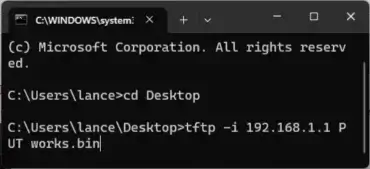
The following simple solution explains how to fix a bricked Linksys router. Tested on a Linksys WRT54G router. Typically a router can become bricked if a firmware update was unsuccessful. Many people think that their Linksys router is no longer any good because they cannot access the Linksys admin panel after a failed firmware update. However, in most cases, a bricked Linksys router is completely repairable and simply requires a new means of flashing to get it back up and running again.

Read the rest of this entry

How to wirelessly bridge a WRT54G to a WRT600N router

Thursday, May 29th, 2008

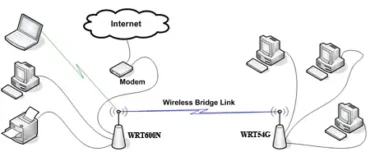
The following tutorial covers the process of wirelessly bridging a connection between a Linksys WRT54G router (running DD-WRT software) and a Linksys WRT54G router. By following this tutorial, the WRT54G becomes a wireless client to the WRT600N base station. This allows a user to connect computers to the WRT54G router via the wired ports, while the wireless side of the router is dedicated to routing the connection to and from the WRT600N. This is a great way to retain usage of your WRT54G router after having upgraded to a WRT600N.

Purpose: To have wired client connections in a different room or even level that connect to your main router without wires joining the two routers and without having to purchase wireless cards for the clients.

Read the rest of this entry

WRT600N wireless dropouts on 5ghz band

Tuesday, May 27th, 2008

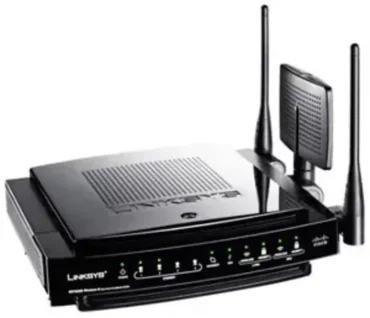
Getting WRT600N wireless dropouts on 5ghz band? We recently upgraded from a WRT54GL router to a Linksys WRT600N Linksys Ultra RangePlus Dual-Band Wireless-N Gigabit Router to take advantage of the dual band 5ghz and 2.4ghz wireless N frequencies along with the gigabit wired network connection. Initially, we were disappointed to find that while working via the 5ghz band on our wireless workstations, we would get randomly dropped connections. This would typically occur when doing large downloads (receiving large packets). All of our workstations use Intel 4965AGN wireless cards and we never experienced a hiccup on 2.4ghz frequency with the old WRT54GL router.

Read the rest of this entry

FTP Error Copying File or Folder

Thursday, April 17th, 2008

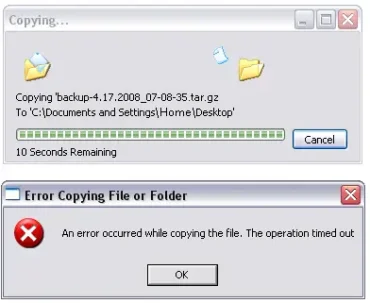
If you like to use Windows Explorer to perform your FTP file transfers and are having problems with the file transfer timing out during the last second or last few second of the download, just know that your not alone. The File Transfer ability that is built into Windows is primitive and many settings are not adjustable as they would be using more advanced FTP client software. This is especially true when it comes to setting a passive port. In many cases a person may find that larger FTP downloads time out or never finish. In the following, I'll show you a resolution that works for me.

Read the rest of this entry

How to detect rel=nofollow using firefox

Friday, April 4th, 2008

Rel=nofollow is a link attribute typically used by webmasters to signify that they do not want search engines to follow and credit a link as related or relative to a specific page or site. If your using the firefox browser, it is simple to detect which links are using the rel=nofollow attribute on any given page by installing the popular SeoQuake addon. This addon enables a user to detect and displays rel=nofollow liks with a strike through or strikeout line (line-through rel=nofollow links). In addition, SeoQuake contains SEO tools that may come in handy. One such tool is the SEOBar, which can display information about any page such as Pagerank, Alexa Rank, Inlinks, Age and Whois.

Read the rest of this entry

Be the Googlebot

Friday, February 29th, 2008

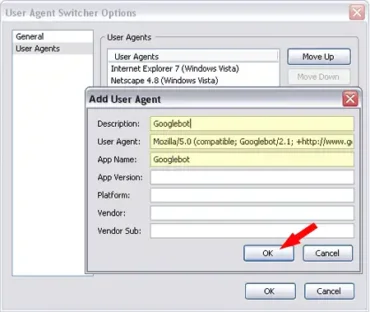
Want to know how it feels to be a Google Bot? Want to see those Websites how Google see's them? Well, in this article, I am going to explain how you can take a walk through the internet in Googlebot's Shoes. There are many things Googlebot see's and has access to that the regular Site visitor does not. For example, a Forum might want Google to index it's content, but yet has it's content blocked from the visitor (non-members). In this case, the Forum's content is viewable by Google, but not to the regular Joe who might be visiting. So if we could just take a walk in those Googlebot Shoes, we might just find our VIP pass right? In order to walk in Google Bot's shoes, we need to change the header information that is presented to the site upon arrival. Here's how.

Read the rest of this entry

Error - invalid maildirsize file

Wednesday, February 20th, 2008

If you're experiencing the following error: invalid maildirsize file on your server when changing a quota in the email accounts section of your cPanel, your mailbox may be corrupt. The "invalid maildirsize file" error can be easily corrected 99% of the time by following this simple solution. Implementing this fix is easy and only takes a couple of minutes as long as your comfortable managing files via ftp. So let's get started.

Read the rest of this entry

How to block a visitor from veiwing your Site

Saturday, April 7th, 2007

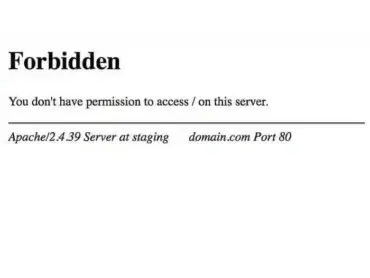
The other day, a friend asked me "How do I block a visitor from viewing my Site"? Blocking certain IP addresses from viewing your Website is one way to keep a person or group of people from viewing or accessing your Web Pages. IP blocking will restrict who can view your site. However, you can unintentionally end up blocking a group of people outside of your target group. Therefore IP blocking should generally be avoided if possible. For those that want to proceed, the following tutorial explains how to block an IP address using your .htaccess file.

Read the rest of this entry

Finding the MAC address of your network card

Monday, April 2nd, 2007

How to find the MAC address of a computers network adapter: MAC addresses (Medium Access Control)
are used by a computer as the source and destination addresses for the transfer of data packets on a network. You've probably arrived at this page because your interested in finding or locating the MAC address of an ethernet adapter or NIC (Network Interface Card) within your computer. In the following tutorial, I cover how to reveal the MAC address of a network card on your Windows PC. The process of locating your computers MAC address is simple but first let's explain what a MAC address is.

Read the rest of this entry

Add 301 redirects using .htaccess

Wednesday, February 21st, 2007

Over the course of time a WordPress blog or site author is bound to change the content of their site and eventually move or even delete and re-write content. This can cause problems with search bots that have previously crawled and indexed your links. If the moved or deleted links can't be found, you might even lose page ranking.

To remedy this we can utilize the 301 re-direct rule to point the old path to the new location. The easiest way to do this is via the .htaccess file.

Read the rest of this entry

Hosting a Web Site from Home

Friday, February 9th, 2007

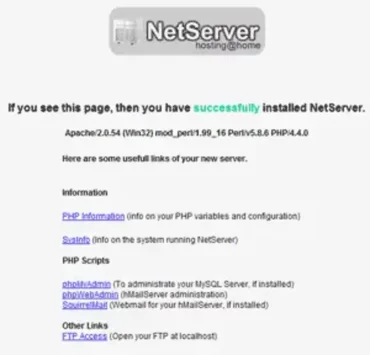
In the past, web site hosting from home was something that the average person with a limited understanding of networking wouldn't dare attempt. But nowadays with the introduction of complete (Apache/PHP/SQL) packages such as Xampp, EasyPHP and NetServer, it isn't uncommon for the average person to begin hosting their own sites from home. I personally host a few of my sites from home.

Read the rest of this entry

Add a Firefox Referral Ribbon Banner to WordPress

Friday, February 2nd, 2007

This tutorial covers the process of adding a Firefox referral ribbon banner to your WordPress site. If you are a Google Adsense publisher, you might be wondering how to make better use of the Adsense Firefox referral program and make a little more money by spreading the use of Firefox. If you have a site and are not yet participating in the Google advertising network, feel free to
Through personal experience, I have found the best way to give people the opportunity to try Firefox is to make the advertisement stand out. What better way to do this than to add the header to the top of the page?

Example Firefox Banner Screenshot:

Firefox Referral Ribbon Banner

Read the rest of this entry