Welcome IP: 189.176.231.11

Mac OS X Tips and Tricks Category

How to remove Avast Antivirus from a Mac

Saturday, November 1st, 2008

In the following simple solution, I cover the process of "Removing Avast Antivirus Mac version" from a Mac. Avast is a nice antivirus software, however, some people that have installed it, prefer other solutions. Uninstalling Avast on a Mac is just slightly more involved than other applications, this is mainly due to the fact that simply quitting the program does not shut it down and Avast cannot be removed until it is shut down.

Read the rest of this entry

Switching Video Cards Macbook Pro

Thursday, October 30th, 2008

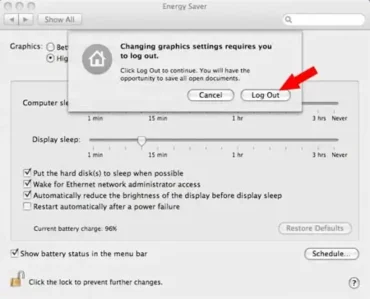
Switching Video Cards Macbook Pro: In the following simple solution, I will explain how to switch between the nVidia 9400M and the nVidia 9600M GT video cards on the new Macbook Pro. On the new Macbook Pro, the lower wattage nVidia 9400M is used by default to help extend battery life. But when you need pure graphical performance, the powerful 9600M GT can be made available on demand. Here is how to switch between the two cards.

Read the rest of this entry

How to Check your Macbook Warranty Status

Tuesday, October 14th, 2008

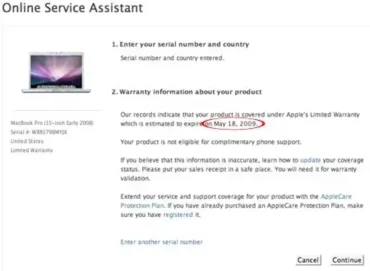
In the following simple solution, I will show you how to Check your Macbook Warranty Status to see how much time remains on you Macbook Warranty from the factory. This is particularly useful if you have purchased or are planning to purchase a used Macbook or Macbook Pro. The Apple Warranty on these machines goes with the computer, regardless of if you are the original owner.

Read the rest of this entry

Can't Empty Trash on a Mac

Saturday, October 11th, 2008

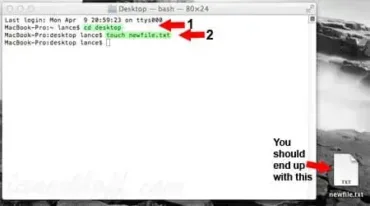
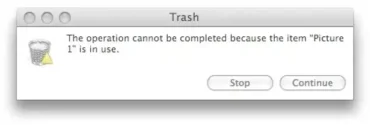
Help! I can't delete a file from the Trash bin on my Mac. When I try to 'Empty Trash' I get an error message saying 'The operation cannot be completed because the file is locked'. Believe it or not, this is a fairly common problem and one which almost every Mac user will encounter at some point in time. In the following simple solution, I show you how to once and for all, delete the file from your system.

Read the rest of this entry

Messenger for Mac Can't Change Display Picture

Saturday, October 11th, 2008

If your running Windows Messenger for Mac and can't change the display picture, just know that your not alone. Symptoms are typically that you cannot click OK on a selected display picture to actually change the picture. In the following simple solution, I show you how to fix this problem, enabling you to finally change your display picture in Mac Messenger.

Read the rest of this entry

How to Uninstall Software on a Mac

Monday, October 6th, 2008

Uninstalling Software on a Mac is much different than uninstalling software from a Windows machine. This is mainly due to the fact that a Mac uses no system registry. Moreover, on a Mac, there is no such thing as add/remove programs. Although in most cases, a Mac user can simply move the installed application to the trash, this will not always remove all traces of the install. In the following simple solution, I'll show you how to properly remove installed Mac applications and their related files from your system.

Read the rest of this entry

How to Install Software on a Mac

Monday, October 6th, 2008

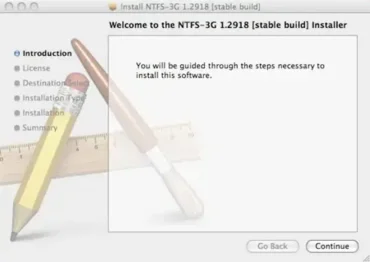
Installing software on a Mac is actually easier than installing software on a Windows or Linux operating system. However, it can be somewhat confusing at first, especially if your brand new to using a Mac. In the following simple solution, I will cover the entire process and trust me, it's so simple you wont need to take notes.

Read the rest of this entry

How to take screenshots with a Mac

Wednesday, October 1st, 2008

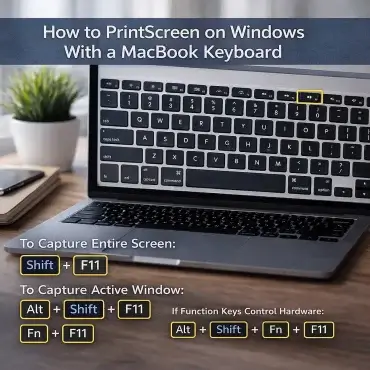
In the following simple solution, I will show you how to take screenshots in a Mac OS X operating environment. Although the process is relatively simple and elementary, when your first being introduced to a Mac and do not know where to start, even the rudimentary tasks can quickly become daunting. If your a beginning Mac user, you should find the following introduction to taking screenshots with a Mac or screenshot capturing with a Mac, useful.

Read the rest of this entry

How to copy and paste with a Mac

Monday, September 29th, 2008

How to Copy and Paste with a Mac. As crazy as it sounds, if you are just learning to use a Mac, this is one of the first questions or problems you will likely encounter. Although the process of copying and pasting with a Mac is similar to Windows and Linux, it does slightly differ. None the less, read on to learn how to Copy, Cut, and Paste while operating within a Mac OS X environment.

Read the rest of this entry

How to Install Vista on a MacBook Pro

Monday, September 29th, 2008

In the following simple solution, I cover the process of installing Windows Vista on a Macbook Pro. For many people, migrating from a Windows PC to a Mac is a tough transition. You can become quickly overwhelmed when trying to learn how to navigate and use the Mac OS X Leopard operating system. In many cases, a user will need to find equivalent software in order to establish the creature comforts they were accustomed to with Windows.

Read the rest of this entry

SOLVED: Unrecognized Partition Table for Drive 80

Monday, September 29th, 2008

In the following simple solution, I show you how to fix the Unrecognized Partition Table for Drive 80 boot error that may occur while attempting to boot Windows Vista from your Macbook Pro. The error may read or appear as follows: "Unrecognized Partition Table for Drive 80. Please rebuild it using a Microsoft-compatible FDISK tool." can’t boot from NTLDR from drive=0×80.

Read the rest of this entry